Here's how to create a Bike Rack in LIV:
Bike racks are vital for accommodating cycling tenants and encouraging eco-friendly transportation.
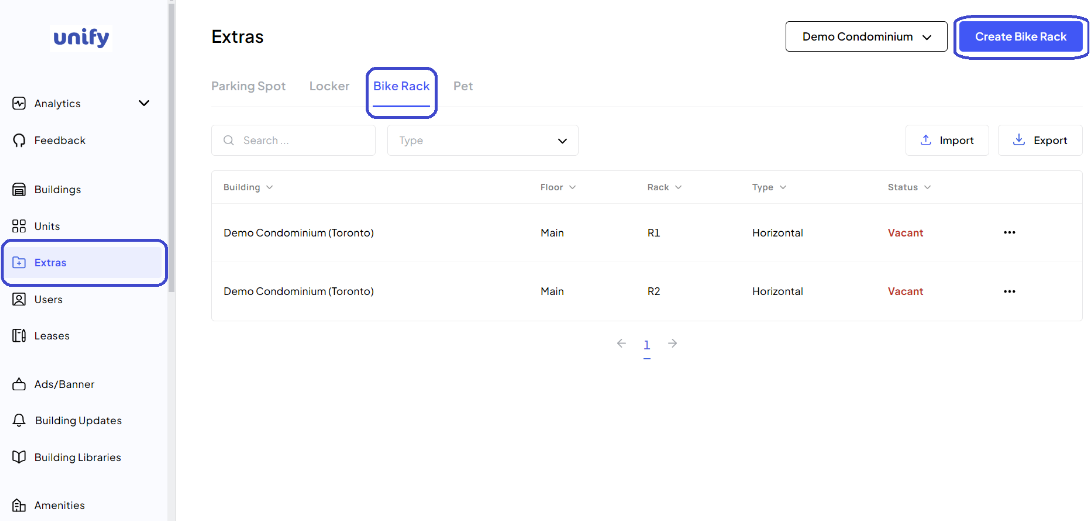
1. Navigate to Extras Page:
Access the Extras page and select the Bike Rack tab.
2. Begin Bike Rack Creation:
Click on the Create Bike Rack button.
3. Enter Bike Rack Details:
a) Select the Building: Choose the appropriate building from the dropdown list.
b) Enter Floor Details: Specify the floor.
c) Enter Rack Number Details: Specify the locker number or identifier.
d) Select Type: Choose Horizontal or Vertical of the Bike Rack from the dropdown list.
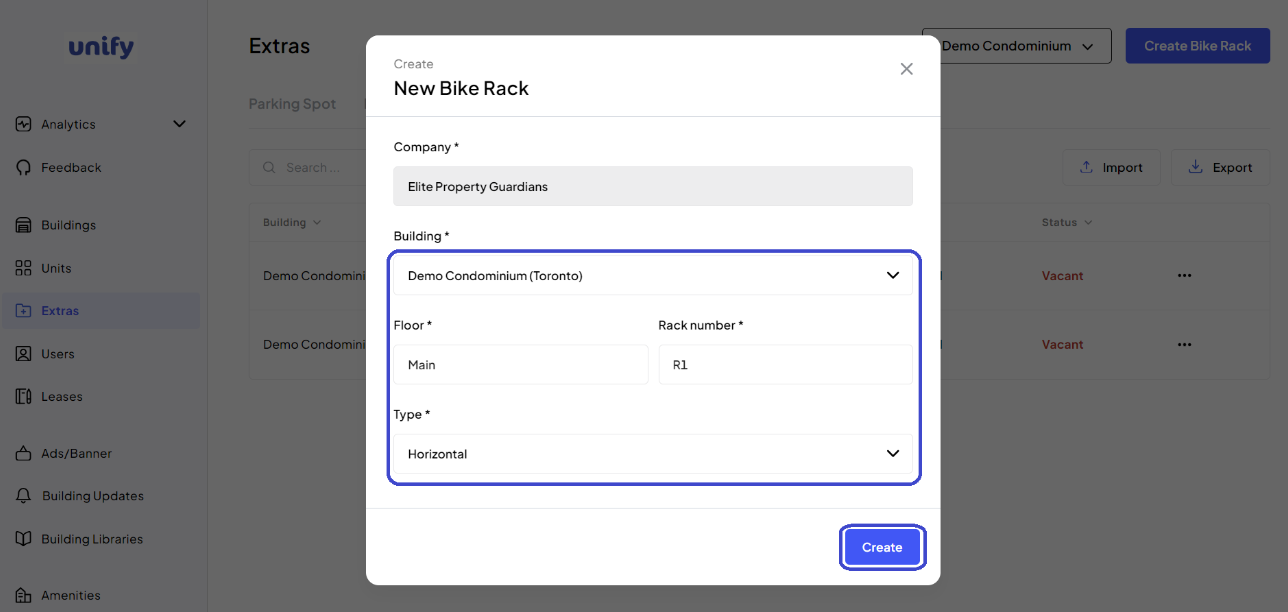
4. Complete Creation:
Review all details and click the Create button.
5. Confirmation:
A new bike rack has been successfully created.
Was this article helpful?
That’s Great!
Thank you for your feedback
Sorry! We couldn't be helpful
Thank you for your feedback
Feedback sent
We appreciate your effort and will try to fix the article