Here’s how to approve a marketplace post in Unify LIV:
Approving marketplace posts helps ensure that listings are appropriate and meet platform standards.
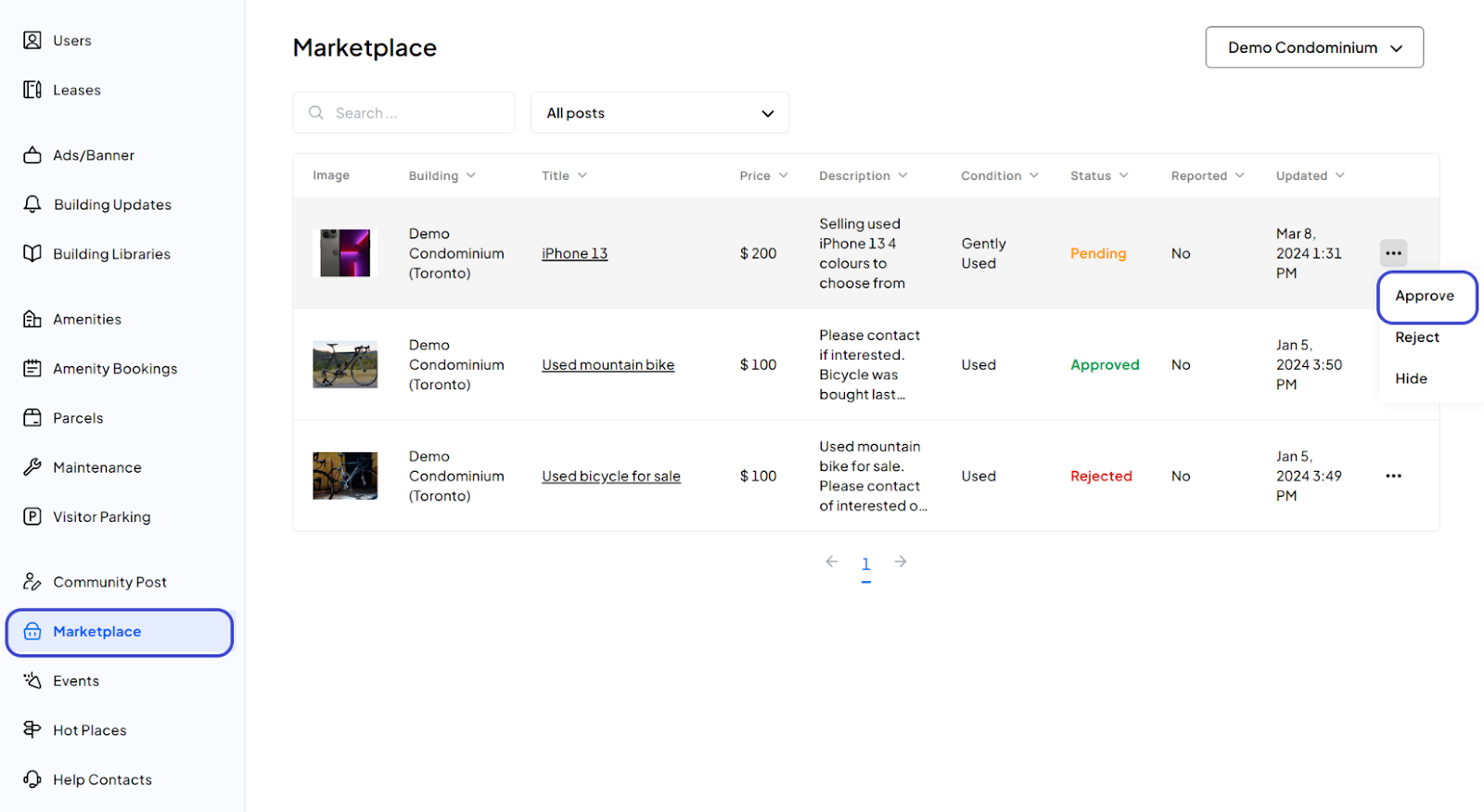
1. Navigate to Marketplace page:
Start by logging into LIV and navigating to the Marketplace page.
2. Approve the Post:
Find the post that needs to be approved, click on the Action Menu, and select Approve.
3. Confirmation:
You have now approved the requested marketplace post.
Was this article helpful?
That’s Great!
Thank you for your feedback
Sorry! We couldn't be helpful
Thank you for your feedback
Feedback sent
We appreciate your effort and will try to fix the article