Here's how to reset a password for a user in LIV.
Resetting a user's password is a routine security measure.
1. Access Users Page: After logging in, navigate to the Users page.
2. Password Reset: Click on the Action Menu next to the user needing a password reset and select "Reset Password Link."
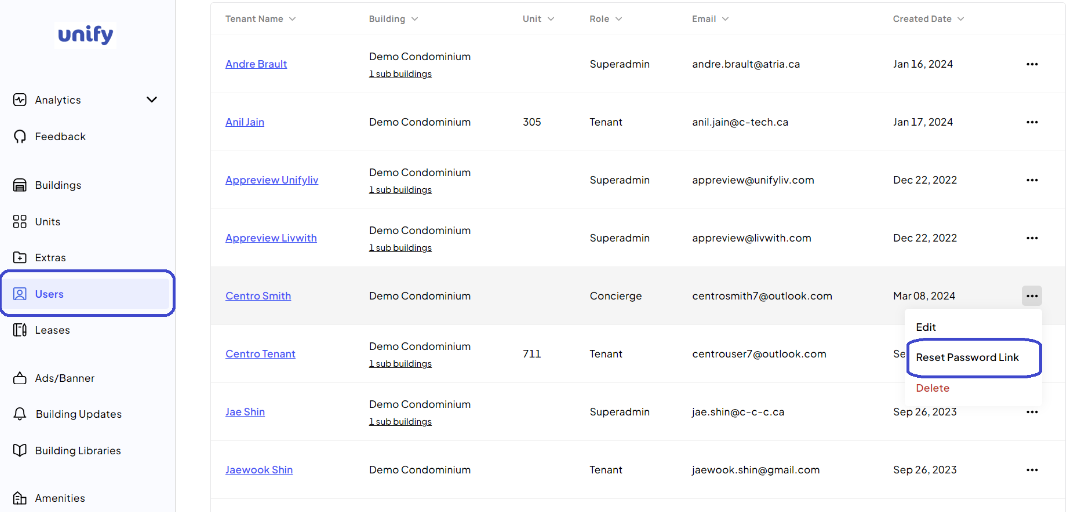
3. Notification: The user will receive a Reset Password email with instructions and a link to reset their password.
Was this article helpful?
That’s Great!
Thank you for your feedback
Sorry! We couldn't be helpful
Thank you for your feedback
Feedback sent
We appreciate your effort and will try to fix the article