Here's how to add a new user in LIV:
Creating a new user in LIV is an essential task for managing access and roles within the platform.
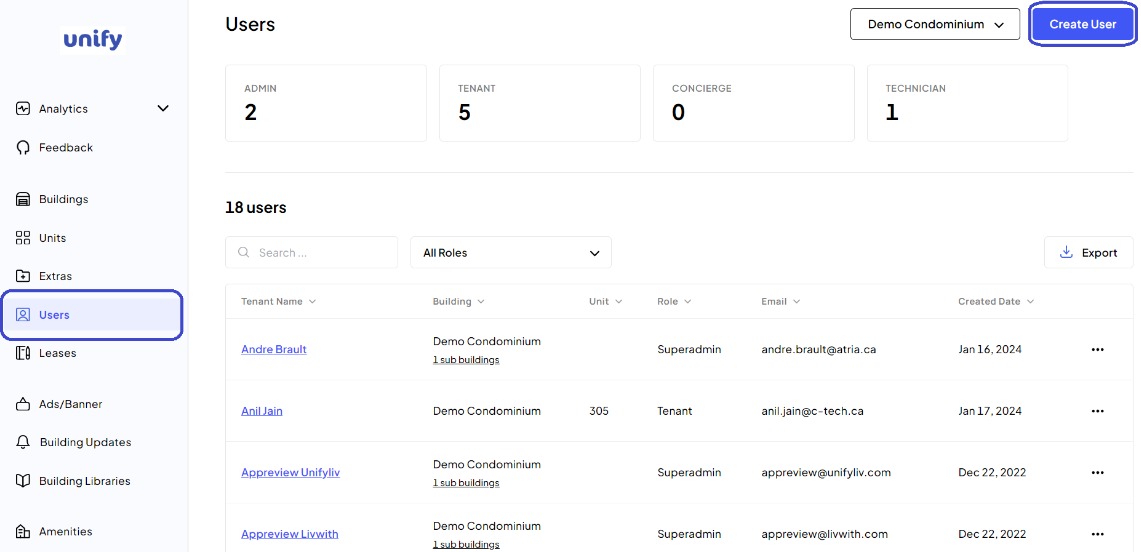
1. Navigate to the Users Page:
Click on Users from the left side menu to access the user management section.
2. Begin User Creation: Click on the Create User button.
3. Configure User Settings:
Select the Building: Choose the required building from the dropdown list.
Select the Role: Choose the user's role from the dropdown list.
If selecting a Technician, assign any applicable sub-buildings.
If an Admin, specify the permissions allowed for the Admin user.
If a Superadmin, assign any applicable sub-buildings.
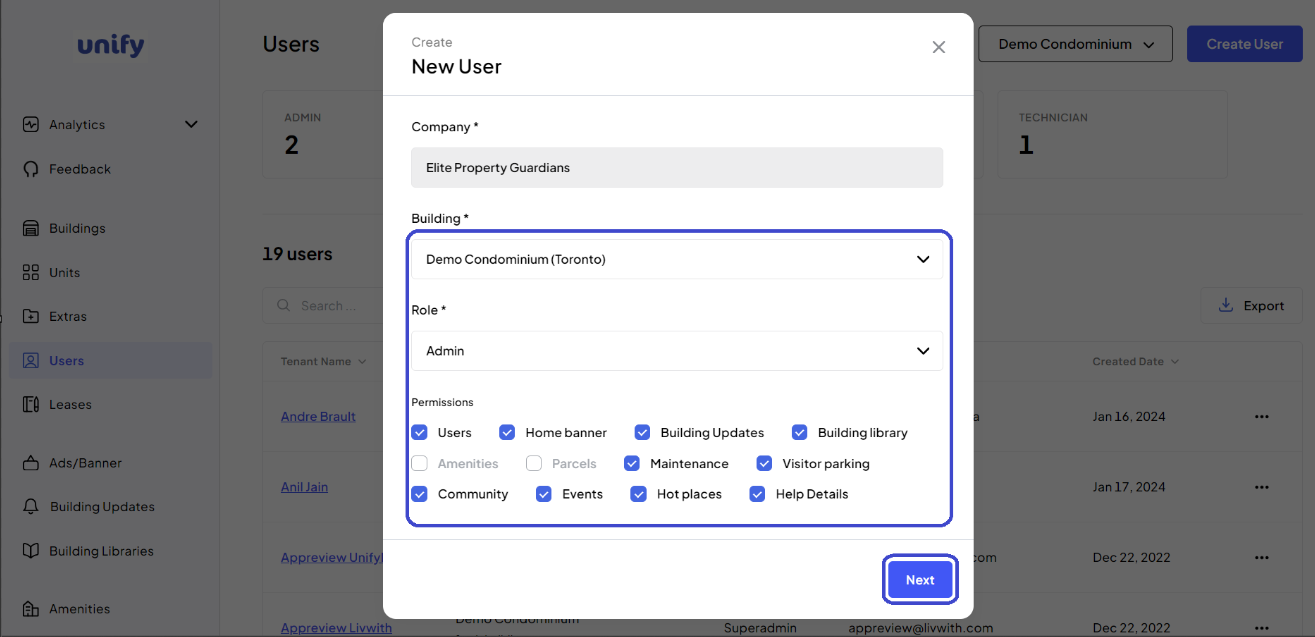
4. Click "Next" to proceed.
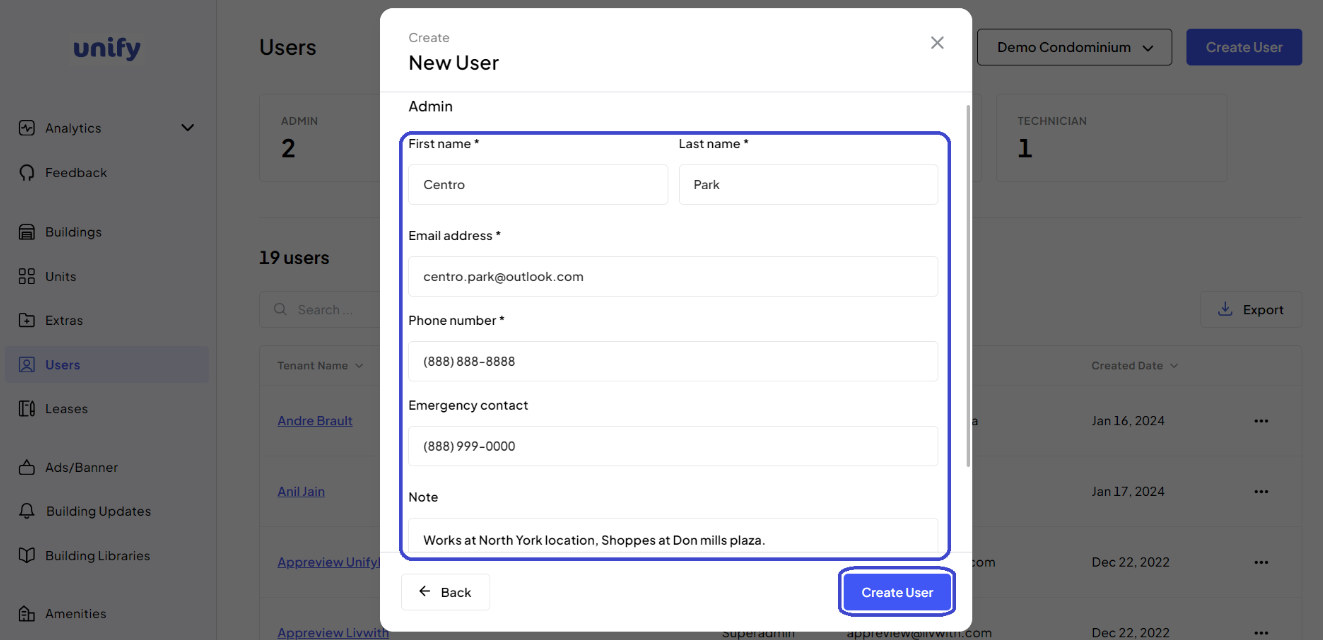
5. Enter User Details:
Enter First Name, Last Name, Email Address, and Phone Number.
Enter Emergency Contact information if applicable.
6. Complete:
Review all information, then click the Create User button to finalize the process.
7. Confirmation:
You have now successfully created a new user.
Was this article helpful?
That’s Great!
Thank you for your feedback
Sorry! We couldn't be helpful
Thank you for your feedback
Feedback sent
We appreciate your effort and will try to fix the article