Here’s how to add a new Hot Place in LIV:
Creating a new Hot Place allows you to highlight popular or important locations relevant to your community.
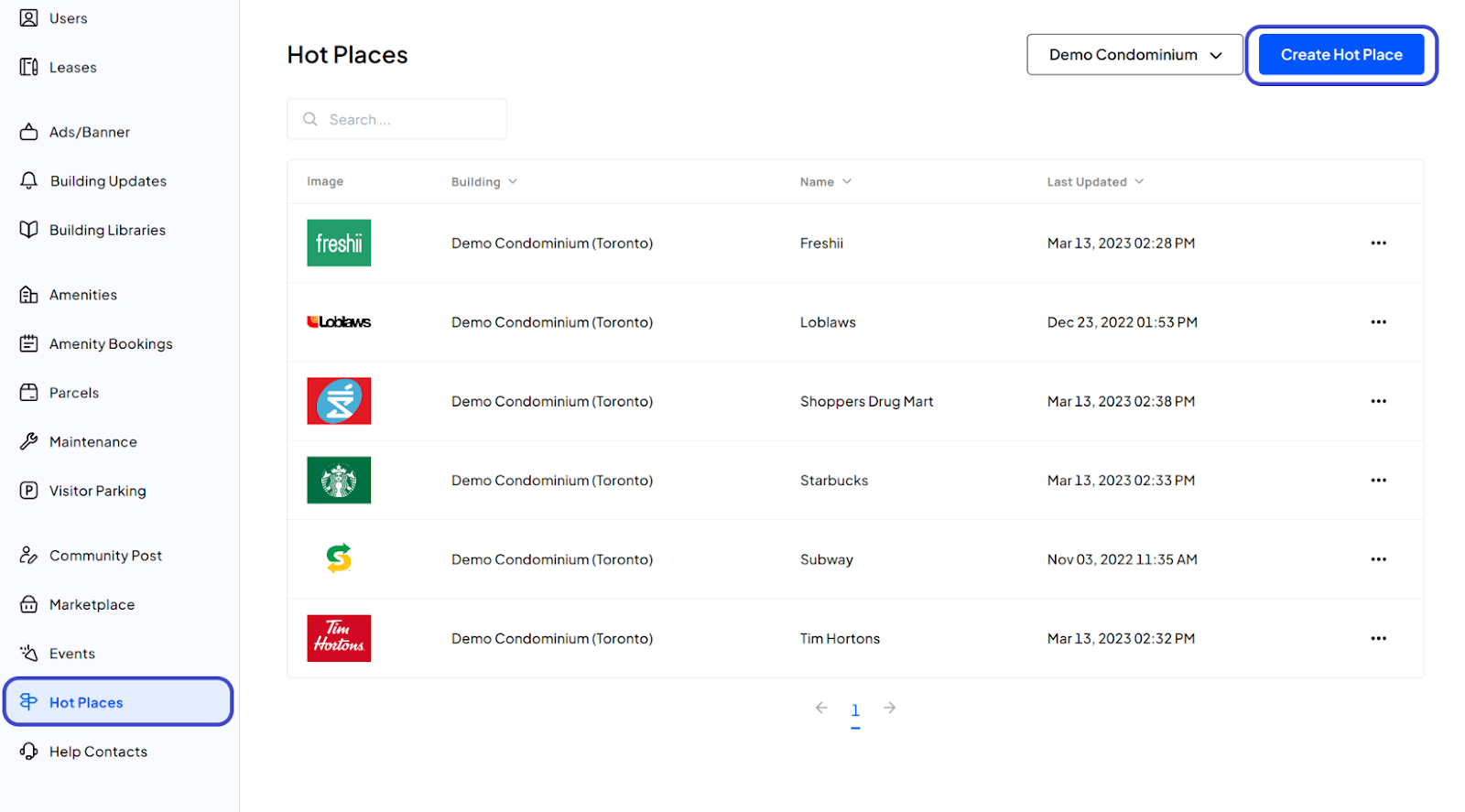
1. Navigate to the Hot Places Page:
After logging in, click on Hot Places from the left side menu to access the page dedicated to managing Hot Places.
2. Begin Hot Place Creation:
Click on the Create Hot Place button.
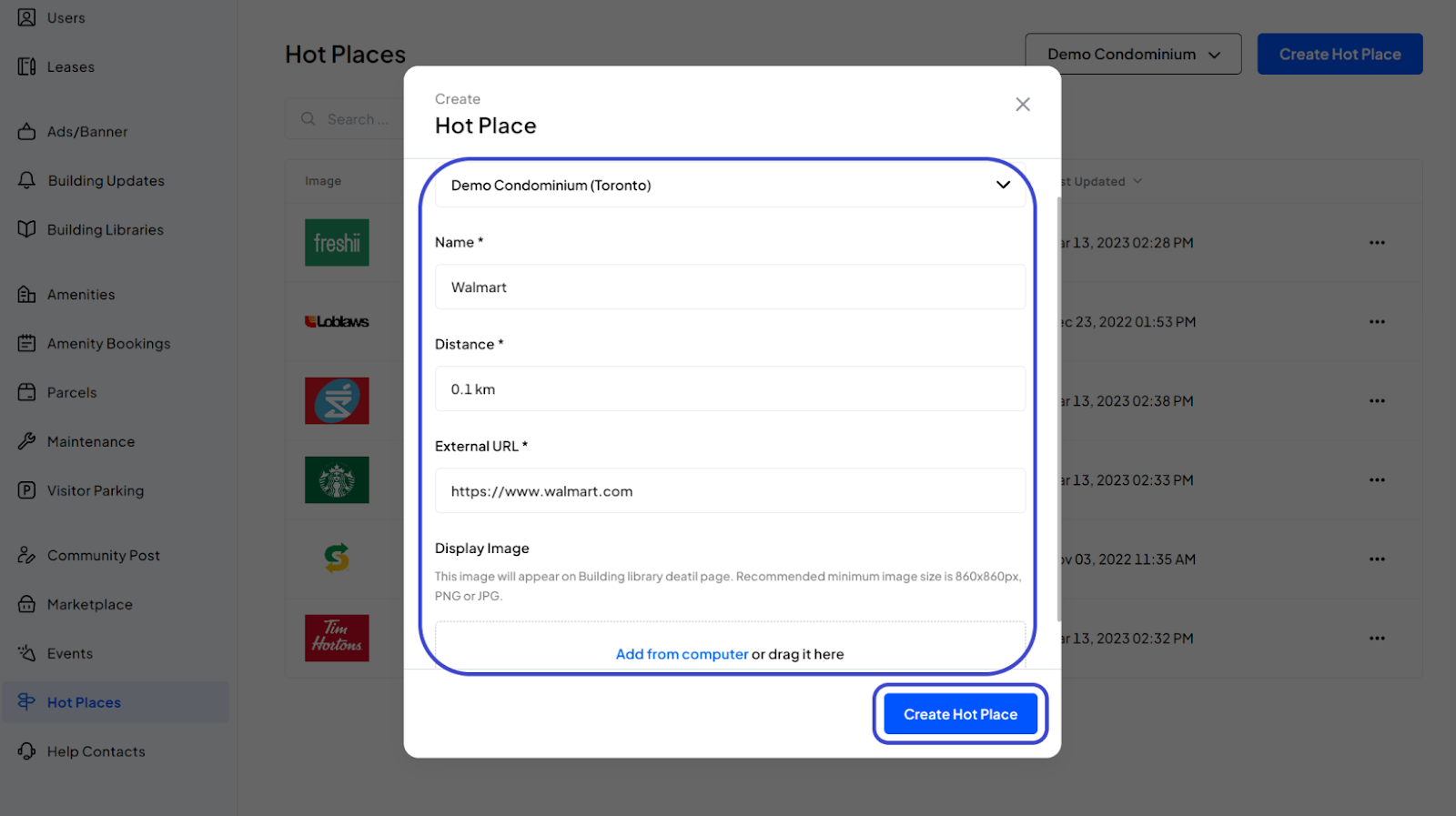
3. Enter Hot Place Details:
Select the Building: Choose the appropriate building from the dropdown list.
Enter Name: Provide the name of the Hot Place.
Enter Distance: Specify the distance from the building to the Hot Place.
Enter External URL: Include a URL for more information about the Hot Place.
Add Display Image: Optionally upload an image that represents the Hot Place.
4. Finalize:
Review all the information you’ve entered. Once confirmed, click the Create Hot Place button to complete the process.
5. Confirmation:
You have now successfully created a new Hot Place.
Was this article helpful?
That’s Great!
Thank you for your feedback
Sorry! We couldn't be helpful
Thank you for your feedback
Feedback sent
We appreciate your effort and will try to fix the article