Here’s how to delete a Hot Place in Unify LIV:
Deleting a Hot Place is necessary when a location is no longer relevant or needed.
1. Navigate to the Events Page:
After logging in, click on Events from the left side menu to reach the events management section.
2. Select the Hot Place to Edit:
After logging in, click on the Action Menu (three dots icon) next to the Hot Place you want to update and select Delete.
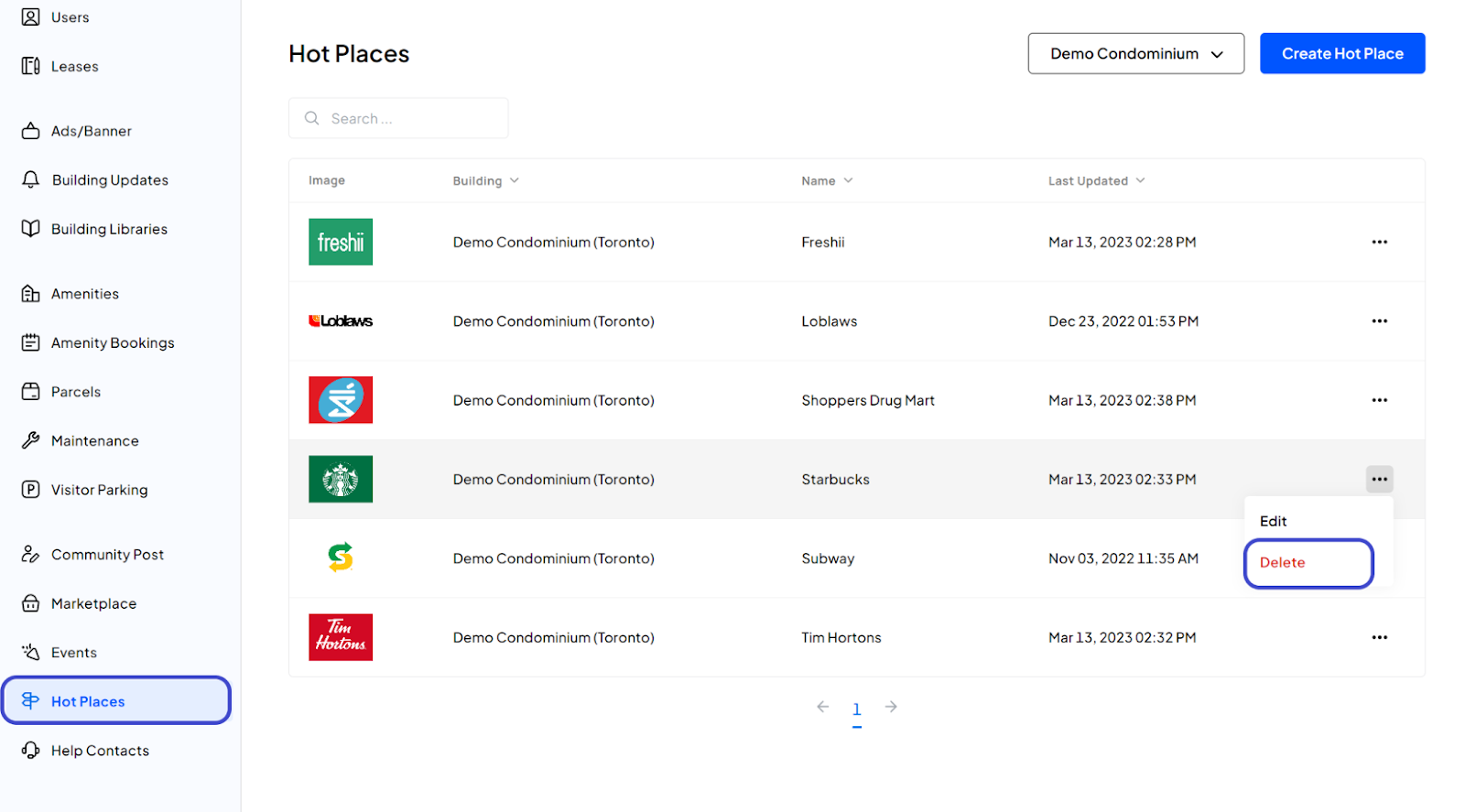
3. Confirm Deletion:
A popup will appear for confirmation. Click the Delete Hot Place button to proceed.
4. Confirmation:
You have now deleted the Hot Place.
Was this article helpful?
That’s Great!
Thank you for your feedback
Sorry! We couldn't be helpful
Thank you for your feedback
Feedback sent
We appreciate your effort and will try to fix the article