Here’s how to add a new Help Contact in Unify LIV:
Creating a new Help Contact is crucial for ensuring that tenants have access to necessary support.
1. Navigate to the Help Contacts Page:
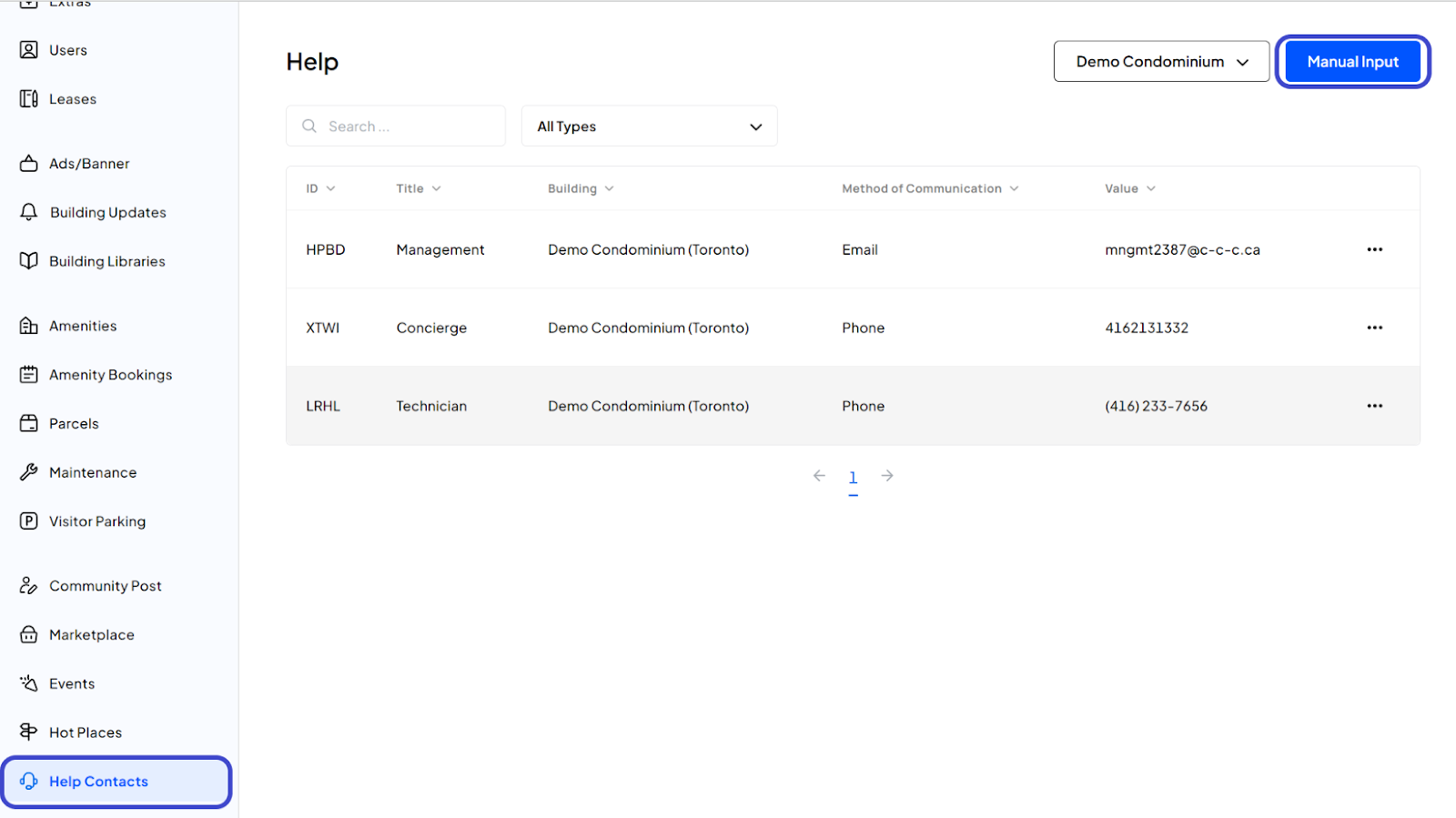
After logging in, click on Help Contacts from the left side menu to access the management page for Help Contacts.
2. Begin Creation of a Help Contact:
Click on the Manual Input button to start entering a new contact.
3. Enter Contact Details:
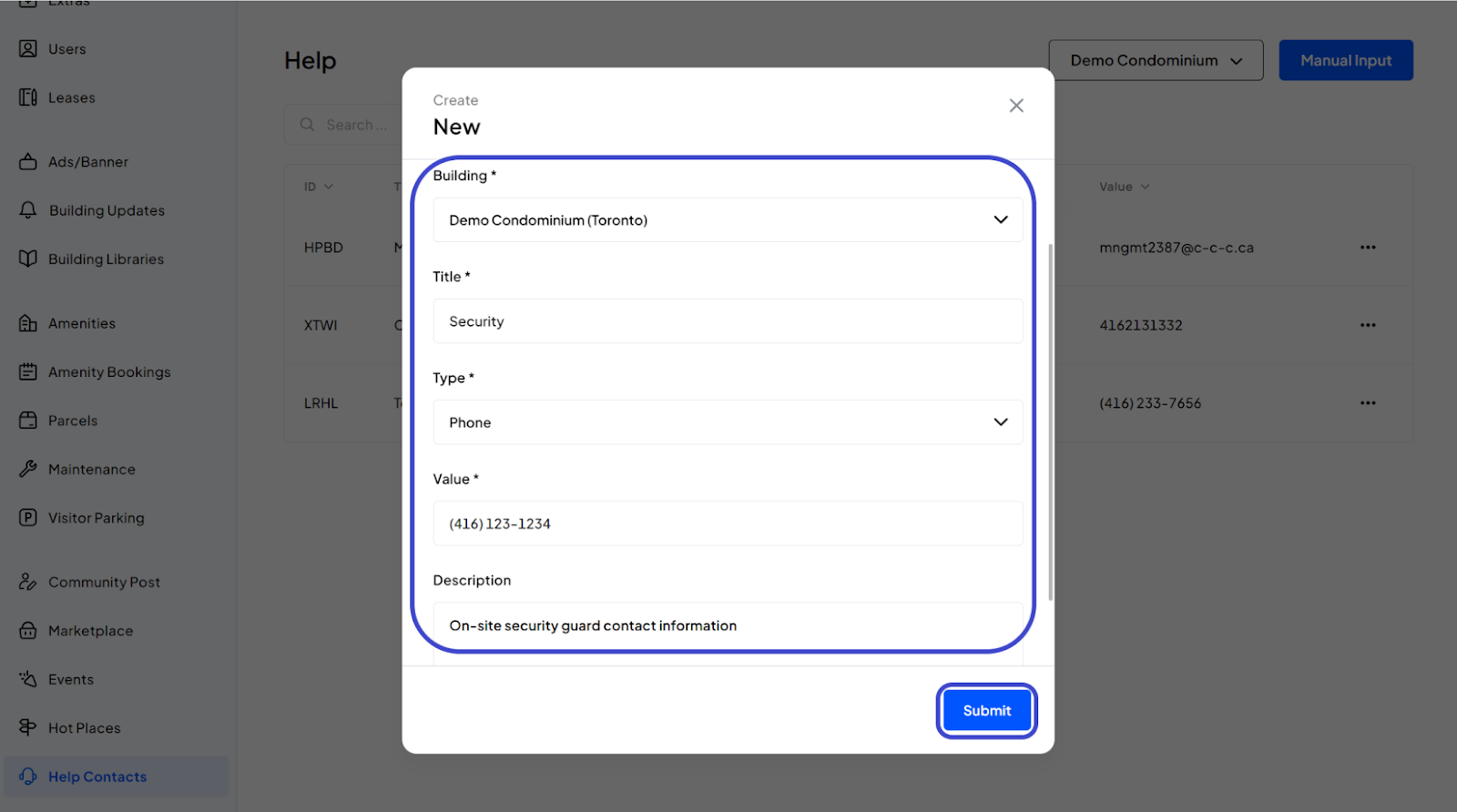
Select the Building: Choose the appropriate building from the dropdown list.
Enter Title: Provide a title for the contact.
Select Type: Choose the type of contact from another dropdown list.
Enter Value: Provide the primary contact information such as a phone number or email.
Enter Description: Optionally, add a description for further details about the contact.
Submit the Information: Review all the details you’ve entered. Once everything is confirmed as accurate, click the Submit button to complete the process.
4. Confirmation:
You have now successfully created a new Help Contact.
Was this article helpful?
That’s Great!
Thank you for your feedback
Sorry! We couldn't be helpful
Thank you for your feedback
Feedback sent
We appreciate your effort and will try to fix the article