Here's how to edit a locker's details in LIV:
Lockers are essential for providing tenants secure storage space.
1. Navigate to Extras page: After logging in, access the Extras page and select the Locker Tab.
2. Initiate Action: Click on the Edit button depending on the task.
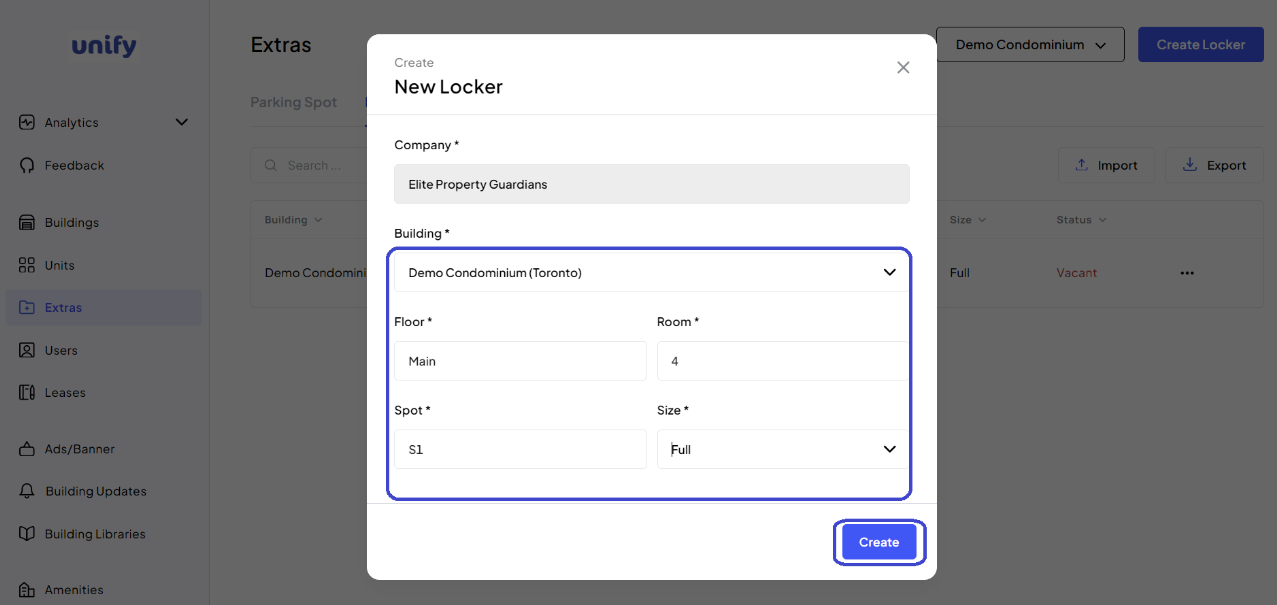
3. Enter or Edit Details: Provide or update the necessary information.
4. Complete Action: Review and confirm by clicking the corresponding button Edit.
5. Confirmation:
A confirmation will indicate the successful completion of the action.
Was this article helpful?
That’s Great!
Thank you for your feedback
Sorry! We couldn't be helpful
Thank you for your feedback
Feedback sent
We appreciate your effort and will try to fix the article