Here’s how to create a new lease in LIV:
Adding deposits to an existing lease is crucial for financial management.
1. Access Leases page:
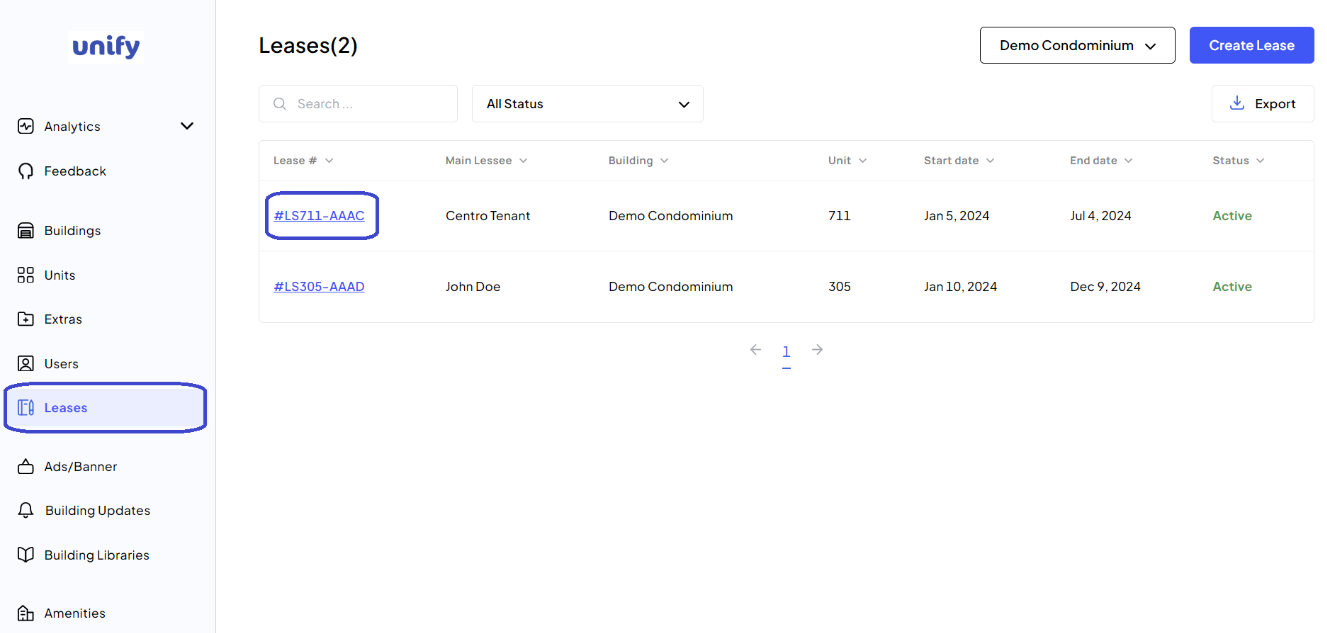
After logging in, navigate to the Leases page.
2. Select the Lease:
Click on the lease number for which you want to add deposits.
3. Deposits Tab:
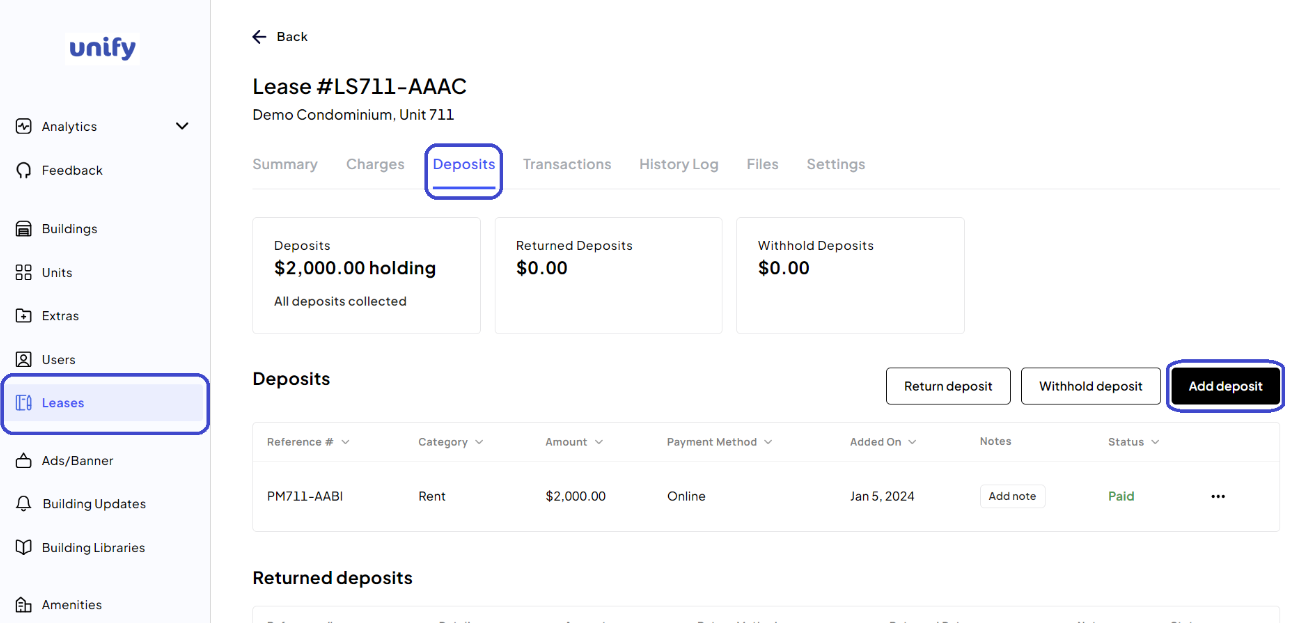
Click on the Deposits tab and then on the Add Deposit button.
4. Enter Deposit Details:
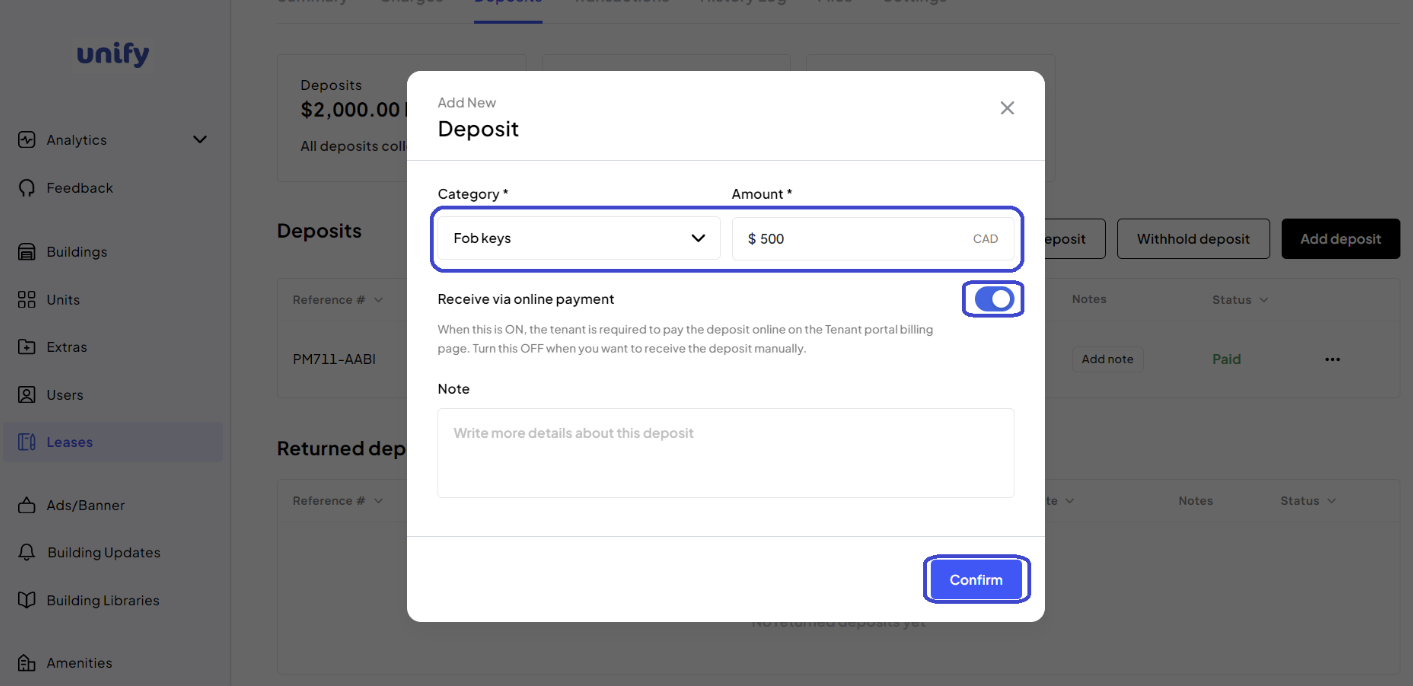
Select the deposit category, enter the amount, and choose if it will be received via online payment.
5. Confirm Addition:
Review the details and click the Confirm button.
6. Confirmation:
You have now added a new deposit to an existing lease.
Was this article helpful?
That’s Great!
Thank you for your feedback
Sorry! We couldn't be helpful
Thank you for your feedback
Feedback sent
We appreciate your effort and will try to fix the article