Here’s how to add a new unit in LIV:
Creating a new unit in LIV allows you to efficiently manage property spaces and details.
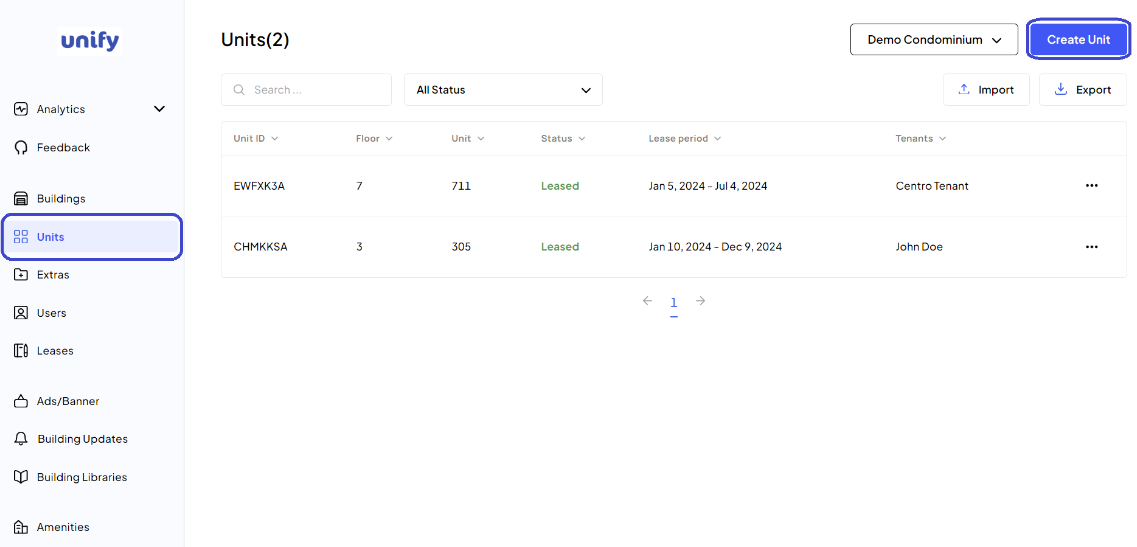
1. Navigate to the Units Page:
After logging in, click on Units from the left side menu to access the unit management page.
2. Begin Unit Creation: Click on the Create Unit button to start the process.
3. Enter Unit Details:
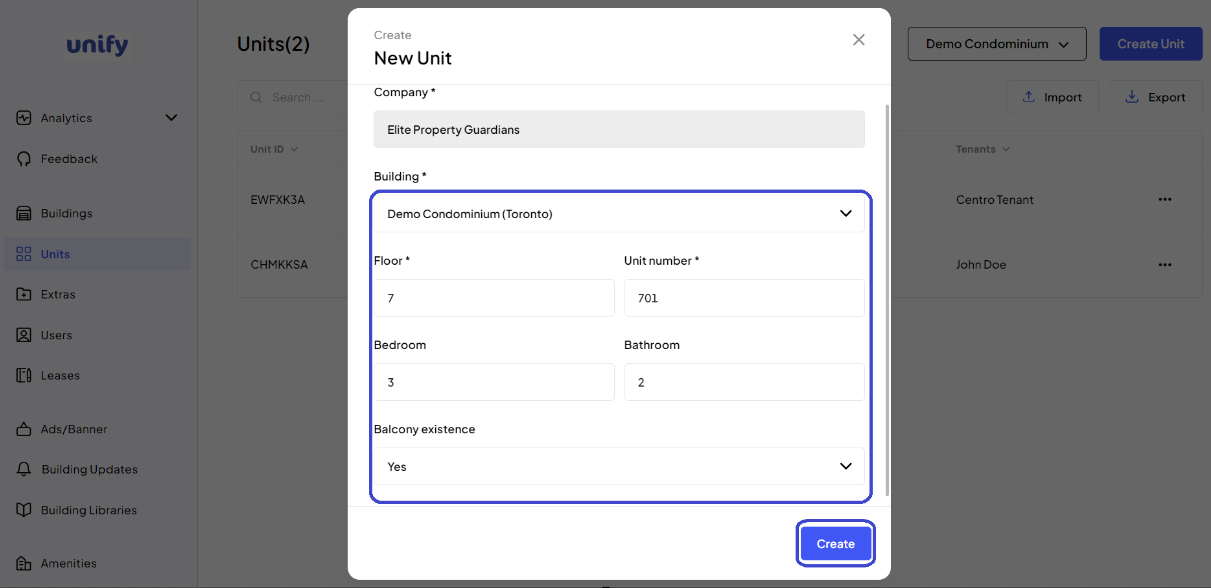
Select the Building: Choose the appropriate building from the dropdown list.
Enter Floor Details: Specify the floor on which the unit is located.
Enter Unit Number: Provide the unit number.
Enter Bedroom and Bathroom Details: Specify the number of bedrooms and bathrooms.
Select Balcony Existence: Choose from the dropdown list whether the unit has a balcony.
4. Completion:
Review all the information you’ve entered. Once confirmed, click the Create button to complete the process.
5. Confirmation:
You have now successfully created a new unit.
Was this article helpful?
That’s Great!
Thank you for your feedback
Sorry! We couldn't be helpful
Thank you for your feedback
Feedback sent
We appreciate your effort and will try to fix the article