Here’s how to edit a unit in LIV:
Updating unit details ensures that property records are accurate and up-to-date.
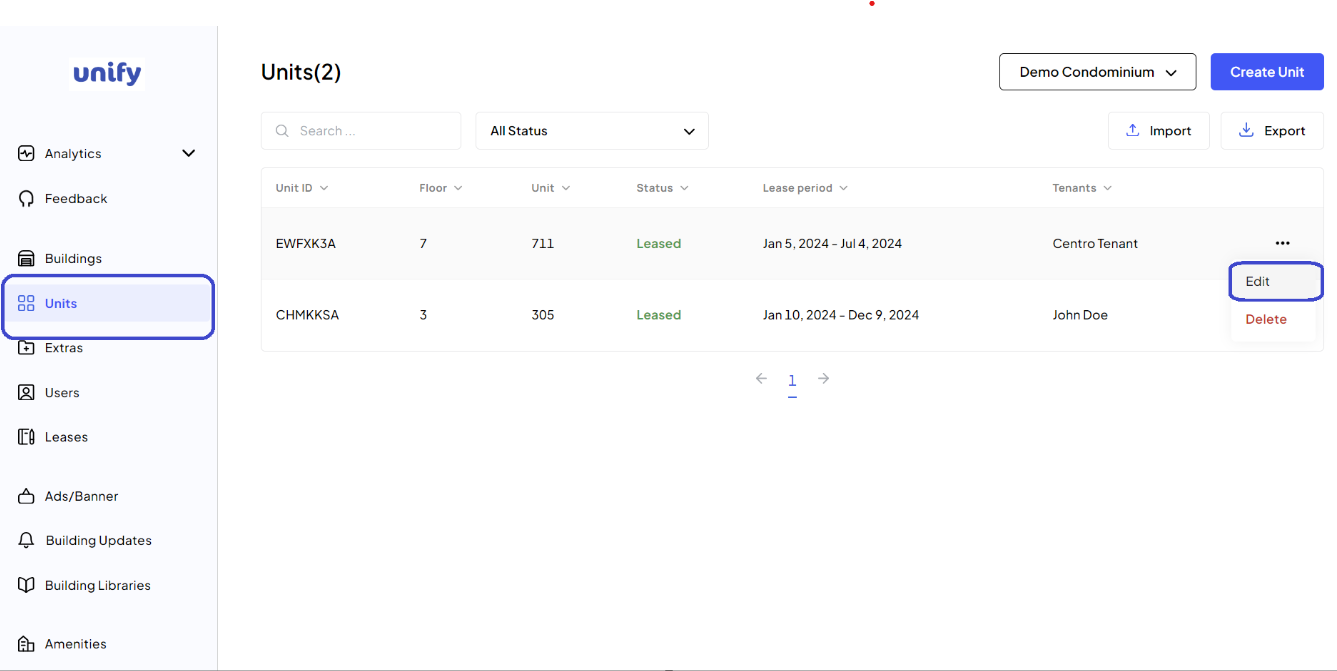
1. Access Units Page:
Log into LIV and navigate to the Units page.
2. Select the Unit to Edit:
Click on the Action Menu (three dots icon) next to the unit you want to update and select Edit.
3. Make Changes: Update the necessary details such as the floor, unit number, bedroom and bathroom count, or balcony existence.
4. Save Changes: After making the required edits, click the Edit Unit button.
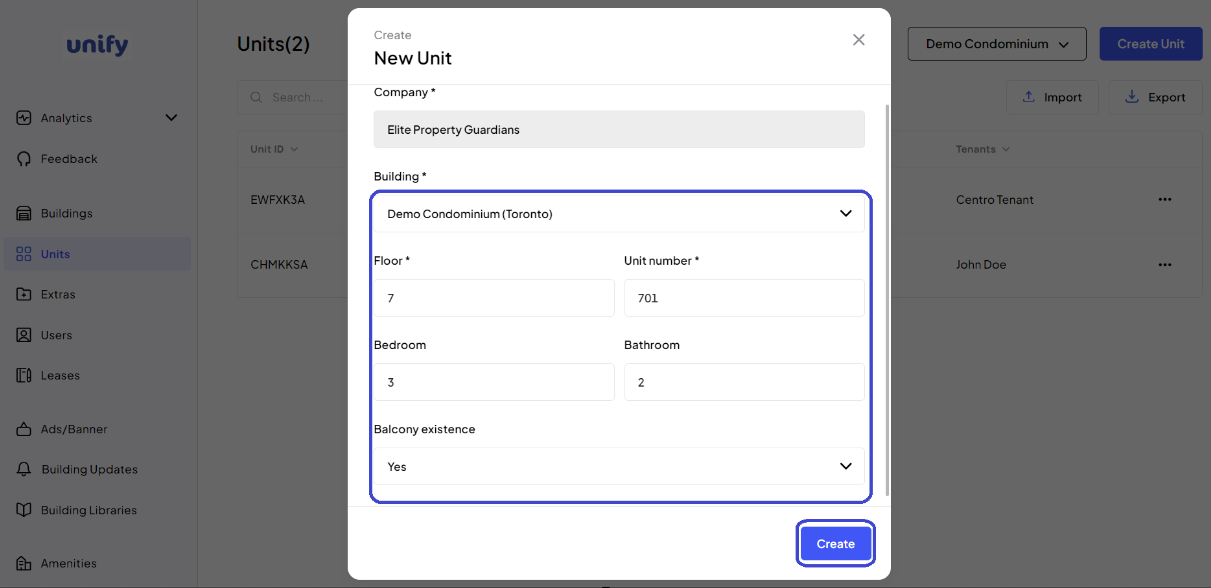
5. Confirmation: You have now saved the new changes for the unit.
Was this article helpful?
That’s Great!
Thank you for your feedback
Sorry! We couldn't be helpful
Thank you for your feedback
Feedback sent
We appreciate your effort and will try to fix the article